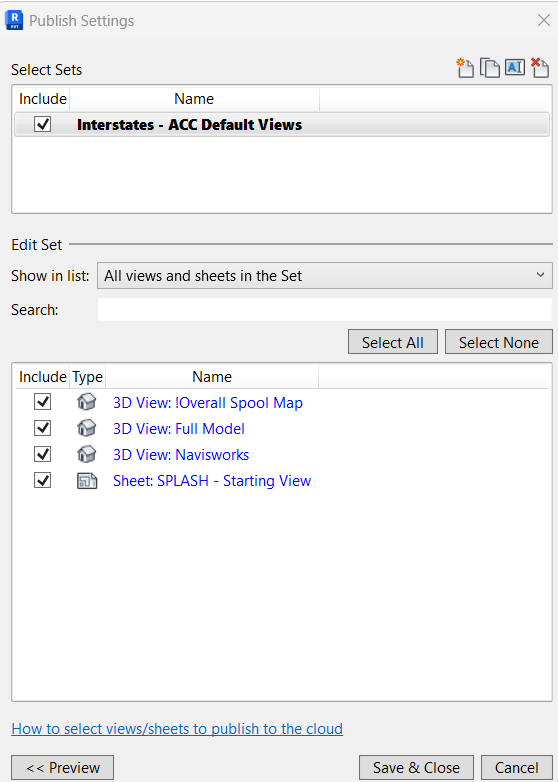
I have been doing some digging in the Journal and log files to see what I can do to identify when someone is making changes to the Publish Settings in Revit.
We are looking to see if there is a way to get notifications when someone modifies the selections under the selection set - “Interstates - ACC Default”
If that is not possible i would be open to getting notified any time the publish settings are saved.
I took a look at what we ingest for the Publish Settings menu.
When the Publish Settings Dialog is Open:
revit-journal: Action: "Publish Settings".
When a new set is created:
revit-journal: Action: "WpfWindow(mWindow,Publish Settings).WpfButton(0,mButtonCreateSet).Click()". followed by another document where Action: "WinformWindow(NewNameDlg,New Set).WinformButton(0,mButtonOK).Click()"
When a set is ticked on/off:
revit-journal: Action: "WpfWindow(mWindow,Publish Settings).WpfCheckBox(0,13).Click()". But no information on what the set was.
When individual sheets are excluded from the set:
revit-journal: Action: "WpfWindow(mWindow,Publish Settings).WpfCheckBox(0,1350549).Click()" followed by Action: "WpfWindow(mWindow,Publish Settings).WpfCheckBox(0,1350669).Uncheck()"
When individual sheets are added to the the set:
revit-journal: Action: "WpfWindow(mWindow,Publish Settings).WpfCheckBox(0,1350575).Click()" followed by Action: "WpfWindow(mWindow,Publish Settings).WpfCheckBox(0,1350549).Check()"
When the user clicks Save & Close:
revit-journal: Action: "Save Sets" AND Command: "Transaction Successful"
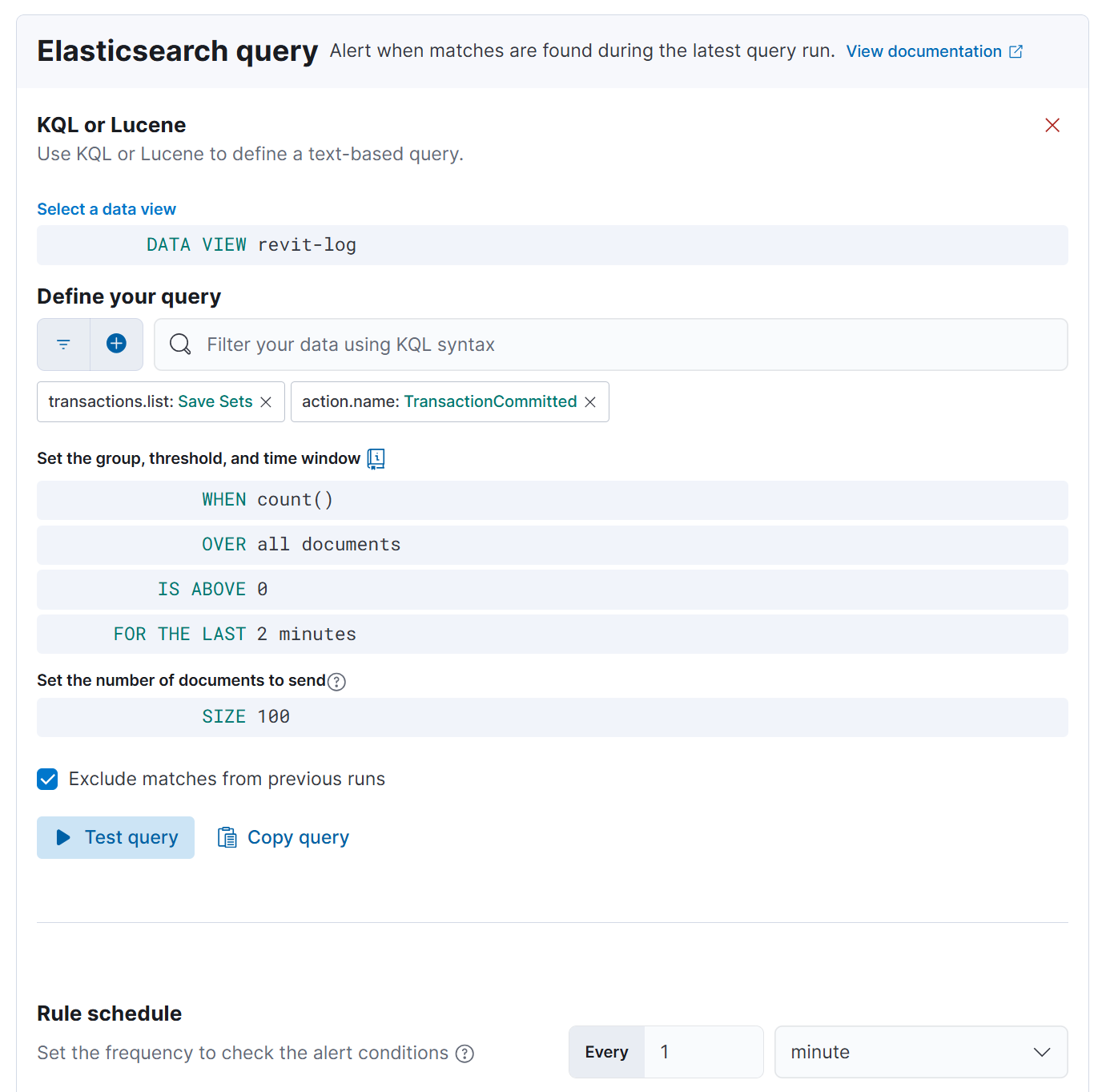
revit-log: transactions.list : "Save Sets" AND action.name: "TransactionCommitted"
Though revit-log has less records, it does include file.name data, which means you will also know what file a change was made it. I would setup a rule using the following query:
transactions.list : “Save Sets” AND action.name: “TransactionCommitted”